

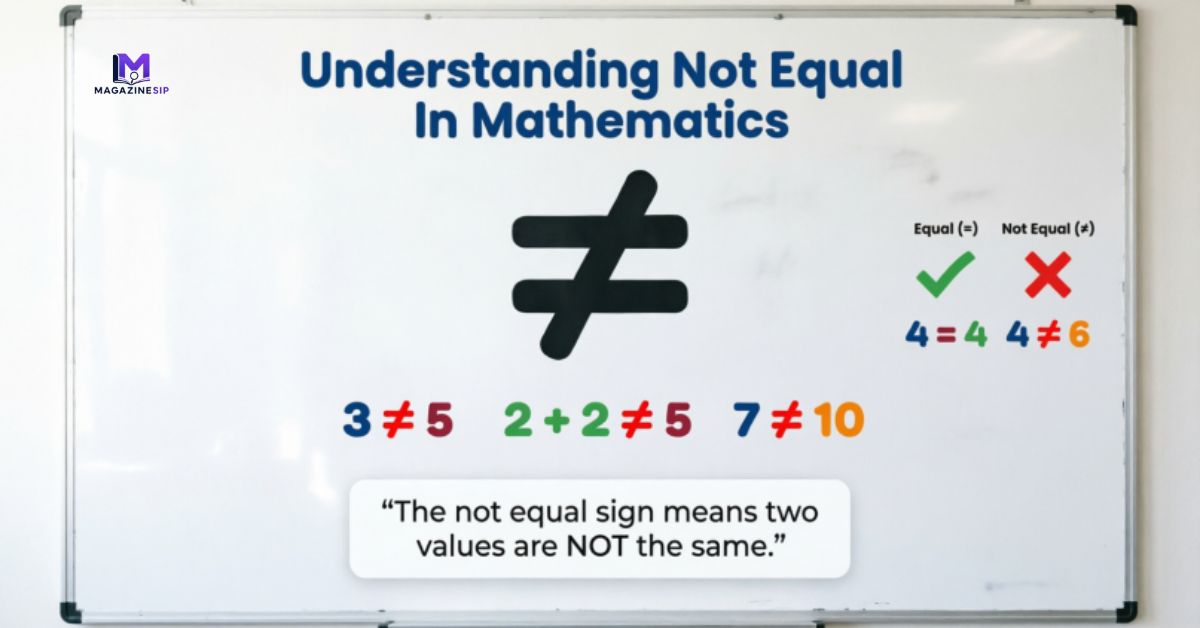
Math is full of small symbols that carry big meaning, and the not equal sign is one of the most useful ones a learner will come across. Written as ≠, this symbol tells you that two values, numbers, or expressions are different from each other. It’s the direct opposite of the equal sign (=), and once you understand it, comparing numbers becomes much easier. For example, 5 ≠ 7 simply means five and seven don’t hold the same value, while 6 + 3 ≠ 12 shows that the sum of six and three isn’t twelve.
This symbol shows up everywhere from early school math to coding logic so getting comfortable with it early makes a real difference. In this guide, you’ll learn what the not equal symbol actually means, how teachers can explain it in a way that sticks, and where you’ll spot it in real formulas, keyboards, and devices.
Introducing the not equal symbol helps students expand their grasp of mathematical relationships. While the equal sign is often tied to balance and equivalence, ≠ emphasizes inequality and comparison, pushing students toward a more layered understanding of how numbers relate to one another.
Teaching Strategies For Not Equal
Addressing Common Misunderstandings Of Not Equal
A lot of students struggle with ≠ simply because they’ve been taught to see the equal sign as a command to “solve” rather than a symbol showing balance between two sides. This mix-up carries over when the not equal sign appears, since learners aren’t always sure what “unequal” is actually pointing to.
Teachers get better results by introducing = and ≠ together, side by side, so students can directly compare what equivalence looks like versus what a mismatch looks like. Framing both symbols as relationship indicators, rather than instructions to calculate an answer, clears up the confusion much faster than teaching them in isolation.
Connecting Models, Words, and Symbols Of Not Equal
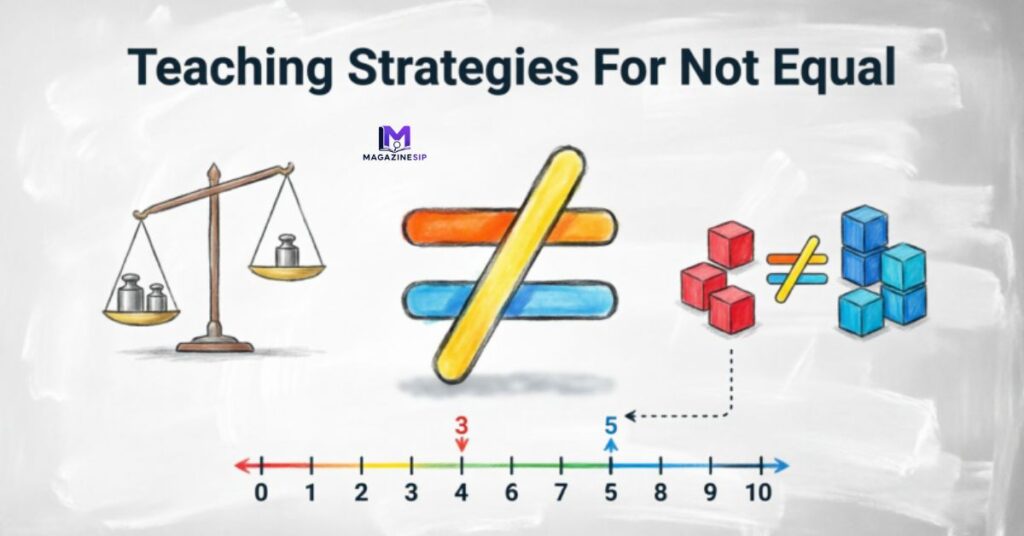
Students grasp abstract math ideas faster when they can move between physical objects, spoken explanations, and written notation. A balance scale works well here when one side holds more weight, the scale tips, giving a visual cue that the two sides aren’t equal.
Drawing two separate groups, say five shapes versus seven shapes, adds another layer of understanding. Saying it out loud “one group has five, the other has seven, so they’re not the same” reinforces the idea verbally before it’s written as 5 ≠ 7. Layering models, words, and symbols together builds a much stronger, longer-lasting understanding than relying on just one method.
Read More: What Does DP Mean In Slang? Facts You Should Know
Reinforcing Conceptual Understanding Of Not Equal
Hands-on practice cements this concept better than repetition on paper alone. Using building blocks or cubes, have students stack one tower of five and another of seven, then ask them to explain the difference out loud. Guiding questions like “How do you know these aren’t equal?” push students to articulate their reasoning instead of just guessing.
The same idea applies to expressions presenting something like 8 + 2 ≠ 15 and asking students to simplify the left side first (landing on 10) before comparing it to 15 strengthens both their arithmetic and their comparison skills at the same time. Number lines are another handy tool, since they let students visually measure the gap between two values rather than just knowing they’re different.
Building Mathematical Communication Using Not Equal
Encouraging students to explain their thinking out loud, using precise wording, builds real confidence with this symbol. Phrases like “five is not equal to seven because five is smaller” or “the scale isn’t balanced, so these amounts aren’t equal” push learners past memorization and into actual understanding. The more comfortable students get putting these ideas into words, the easier it becomes for them to apply the same logic to harder comparisons later on, including inequalities and algebraic reasoning.
Framing Not Equal with Equal, Greater Than, and Less Than
Relational symbols work best when taught as a connected group rather than isolated topics. Here’s a quick breakdown:
| Symbol | Meaning | Example |
| Equal To (=) | Shows two values share the same amount | 5 = 2 + 3 |
| Not Equal To (≠) | Shows two values don’t share the same amount | 8 ≠ 6 |
| Greater Than (>) | Shows one value is bigger than another | 10 > 6 |
| Less Than (<) | Shows one value is smaller than another | 4 < 9 |
When students learn not equal alongside equal, greater than, and less than, they build a complete comparison toolkit, one that makes numerical relationships far easier to size up and switch between without confusion.
Not Equal Sign on Keyboard
Typing ≠ on a regular keyboard isn’t as tricky as it looks once you know the shortcut. On Windows, hold the Alt key and type 8800 on the numeric keypad, then release Alt to see the symbol appear. Mac users have it even easier just press Option + = and the symbol shows up instantly. If you’re working inside a document editor like Word or Google Docs, you can also use the Insert > Symbol menu and search for “not equal” to drop it straight into your text. Coders often skip the special character altogether and use != instead, since most programming languages read this as “not equal to.” Knowing a couple of these shortcuts saves time whenever you’re writing math notes, building spreadsheets, or coding a comparison statement.
Not Equal in Mathematics Formula
In formal math notation, the not equal relationship is written using the ≠ symbol placed between two expressions that don’t share the same value. A basic formula looks like this: a ≠ b, meaning “a” is not equal to “b.” This shows up constantly in algebra, where you might see something like x + 4 ≠ 10, telling you that x cannot be a value that makes both sides balance.
It’s also common in set theory and functions, where mathematicians use ≠ to rule out specific values or show that two sets don’t contain identical elements. Unlike the equal sign, which confirms a match, this formula structure is built entirely around showing a mismatch, which is why it plays such an important role in proofs, inequalities, and logical reasoning throughout higher-level math.
Not Equal Symbol
The ≠ symbol is technically formed by placing a diagonal slash through the equal sign, visually signaling that equivalence has been broken. It’s part of a small family of relational symbols used to compare values alongside equal (=), greater than (>), and less than (<). While the equal sign shows balance, ≠ flips that idea entirely, emphasizing that two quantities sit apart from one another.
This symbol isn’t limited to arithmetic either; you’ll spot it in geometry when comparing angles or lengths, in statistics when comparing data sets, and even in everyday logic problems. Learning to recognize this symbol on sight helps students move faster through comparison-based questions without second-guessing what the notation is asking them to do.
Not Equal in Mathematics Examples
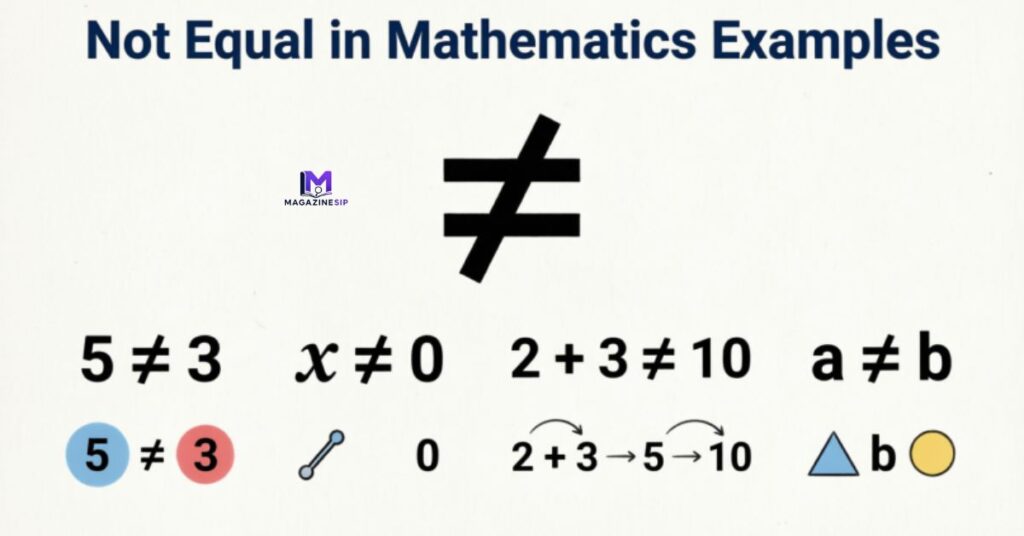
Seeing real examples makes the not equal concept click much faster than definitions alone. Take 9 ≠ 4, a straightforward case showing two numbers with different values. Now look at something slightly more layered: 7 + 5 ≠ 11, where a student first has to simplify the left side to get 12, then compare it to 11 to confirm they aren’t the same.
Fractions work the same way 1/2 ≠ 1/3 shows that not all fractions with similar-looking numerators represent equal parts of a whole. Even variables get involved, like y ≠ 8, which tells you y can be any number except eight. These examples highlight how flexible this symbol is, applying to whole numbers, sums, fractions, and unknowns alike.
Not Equal Sign Copy Paste
If you don’t want to bother with keyboard shortcuts, copying and pasting the ≠ symbol is the fastest workaround. You can simply copy the symbol here: ≠ and paste it directly into any document, chat, spreadsheet, or code editor. This method comes in handy on devices where special character shortcuts aren’t available, or when you’re working across multiple platforms and don’t want to memorize different key combinations for each one. Many online symbol libraries and character map tools also let you search “not equal” and grab the character instantly, which is especially useful for teachers building worksheets or quizzes.
Not Equal Sign on Android
Typing ≠ on an Android phone usually means switching to the symbols keyboard. Open your keyboard, tap the “123” or symbol key, then look for an additional arrow or “more symbols” option, since ≠ often sits on a secondary page alongside other math characters. Some keyboard apps, like Gboard, let you long-press the equal sign (=) to reveal related symbols, including ≠, without digging through multiple menus. If your keyboard doesn’t support it directly, copying the symbol from a browser search and pasting it into your text field works as a reliable backup.
Not Equal Sign Meaning
At its core, the not equal sign communicates one simple idea: two things aren’t the same. It’s used to flag a difference between numbers, expressions, variables, or even entire equations. While it might look like a small detail, this symbol plays a big role in helping students move beyond basic counting and into actual mathematical reasoning, where noticing differences is just as important as recognizing similarities. Outside of classroom math, this same meaning carries into programming and logic, where “not equal” conditions decide how software behaves based on whether two values match or don’t.
Not Equal Sign on Mobile Keyboard

Most mobile keyboards, whether on iOS or Android, tuck the ≠ symbol away in a secondary symbols menu rather than showing it upfront. On an iPhone, switch to the numeric keyboard, then tap the #+= key to reveal additional characters, where ≠ is often listed. On Android, the process is similar tap into the symbols section and look for a “more” arrow to browse extra math characters. If typing it manually feels like a hassle, copying the symbol from a search engine result and pasting it works just as well, especially when you’re in the middle of typing out a quick note or message.
Frequently Asked Questions
What is a ≠ in math?
The ≠ symbol means “not equal to.” It shows that two numbers or expressions don’t hold the same value, unlike the equal sign, which confirms a match.
How do you type ≠?
On Windows, use Alt + 8800. On Mac, press Option + =. You can also copy and paste the symbol directly from a browser or character map.
What does != mean in math?
The != symbol is a common substitute for ≠, mostly used in programming and coding languages to represent the same “not equal to” relationship.
How does ≠ differ from !=?
They mean the same thing, but ≠ is the standard mathematical symbol used in writing and formulas, while != is the coding-friendly version used in most programming languages.
Why is != not equal?
The exclamation mark (!) represents “not” in programming logic, so pairing it with the equal sign (=) creates “not equal,” matching the meaning of the mathematical ≠ symbol.
Conclusion
The not equal sign might look small, but it plays a big role in how students understand math. Once learners see ≠ as a relationship indicator rather than a random symbol, comparing numbers, expressions, and equations becomes far less confusing. From typing it on a keyboard to spotting it in real formulas, this symbol shows up constantly across math, coding, and everyday problem-solving. Pairing it with equal, greater than, and less than gives students a complete comparison toolkit that carries them through algebra and beyond.
Teaching strategies like models, hands-on practice, and clear verbal explanations all help this concept stick, especially for younger learners still building number sense. Whether you’re a teacher planning a lesson or someone brushing up on math basics, understanding ≠ opens the door to clearer, more confident reasoning with numbers a skill that keeps proving useful well beyond the classroom.
